Dude, Where’s My HWND?
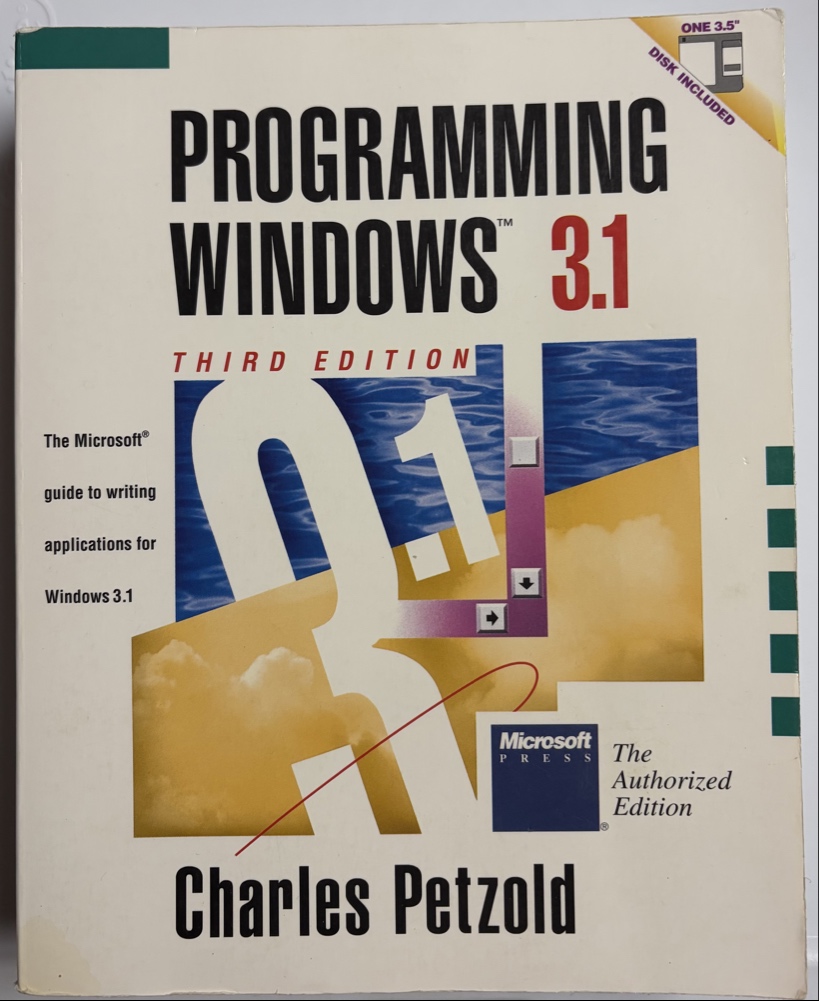
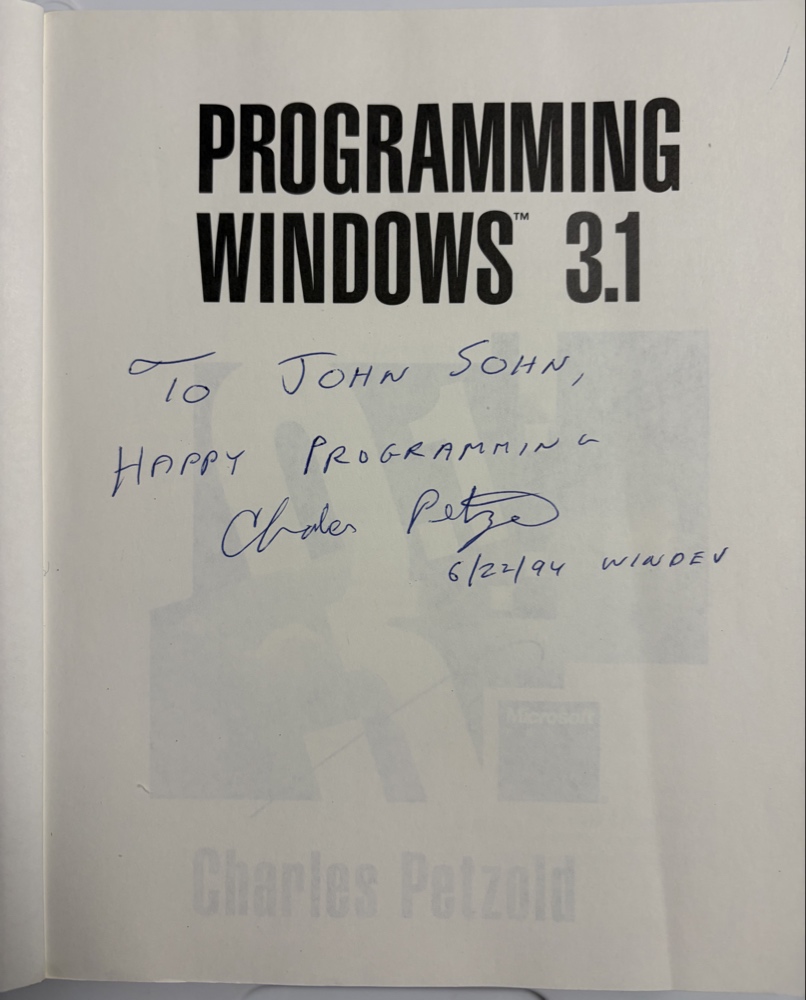 My signed copy of Programming Windows 3.1 by Charles Petzold
I Am A Long Way from Home
Full disclosure – I started my career in the early 1990s as a Windows Visual C++ and MFC developer targeting Windows 3.1. That is 16-bit Windows, before Win32 and the first release of Windows NT, which eventually became Windows XP and the Windows 10/11 that we are using today. I spent a little time in the trenches of WinForms around the Y2K scare, and then I stepped away from desktop development for a long time.
Now, after working on web and mobile apps, out of curiosity I decided to take a look at porting my Steel Sidekick app to Windows. I am very much on the outside looking in, and I will be the first to admit I might be missing something here. I could be missing some finer technical nuances of the current documentation or misinterpreting a marketing bullet point. But this is my honest perspective as a native developer waking up from a twenty-year coma and trying to make sense of the modern Windows API.
In 1992, sitting in front of a CRT with a fresh copy of Visual C++, the Windows API, which eventually became Win32, was the stable, singular law of the land. If you knew how to talk to the OS, it did exactly what you asked.
I still keep an autographed copy of Charles Petzold’s Programming Windows 3.1 on my office shelf. It’s one of the best technical books ever written because it taught you how things actually worked. To this day, whenever I land on a new platform, I ask a simple question:
“What is the Petzold book for this platform?”
I don’t want quick-start tutorials or snippets. I want the book that lays bare the architectural soul of the system—the universal DNA connecting the interface to the hardware.
The Architectural Soul: The Win32 “Class Library” Underneath The Surface
A lot of people look back at early Windows and assume it was primitive because Win32 was exposed as a flat C library. But spiritually, it was deeply object-oriented.
The window handle, or HWND, was the center of gravity. It wasn’t just a random index; it was effectively the "this" pointer to a system-managed object. Every UI element: button, text edit field, and scroll bar was an HWND. They managed their own state, responded to their own window procedures, and communicated using a universal language of messages.
When MFC arrived, it wasn’t trying to build an artificial sandbox to hide the OS. It was a thin, logical wrapper that made the internal soul of Windows explicit. Look at CWindow —it was essentially just a C++ structure wrapping standard Win32 calls, passing the underlying m_hWnd as the very first parameter. If an API method you needed to use wasn’t exposed through CWindow, you could pass in the CWindow m_hWnd to any function that required this as a parameter.
The “Great Fragmentation”
Coming back to Windows desktop development in 2026, I expected a polished, hyper-evolved version of this unified world. Instead, from my viewpoint on the outside, I’m staring at the architectural aftermath of what looks like the “Great Fragmentation.”
Instead of a single, authoritative native API that extended Win32, we have a crowded room of competing, antiquated but complete, or half-viable incomplete frameworks:
- MFC: Amazingly still officially supported and shipping in Visual Studio 2026, yet frozen in a feature-complete time capsule for multi-million-line enterprise apps. I wonder if my code is still being used somewhere?
- WinForms: Still running, still wrapper-thin, but visually fixed in a mid-2000s design aesthetic.
- WPF: Highly flexible, but carrying the weight of ancient vector-rendering philosophies.
- UWP: The skeletal remains of a sandboxed mobile experiment that desktop users never wanted. Intended to bridge the desktop to the now discontinued Windows Phone.
- WinUI 3 / Windows App SDK: The current favorite child, supposed to be a “reunification” but still struggling to feel complete.
The modern Windows desktop looks less like an intentionally designed operating system and more like a historical record of internal organizational shifts. Successive waves of leadership teams arrived at Microsoft, decided to “fix” the desktop by ignoring everything the previous team built, and then abandoned their own project halfway through when priorities shifted.
In 1996, Visual C++ 4.0 was a powerhouse. Today, the WinUI 3 visual designer is still frequently described as an unreliable experience that forces you to drop back to manual XML editing just to see your layout.
The Architectural Tragedy
The real heartbreak isn’t just the number of frameworks; it’s the fundamental shift in how the OS thinks about a user interface.
Because the HWND was the universal DNA of the 90s, you could build a control in MFC, host it inside a VB6 form, or call it from Delphi. The OS didn’t care what language you used, because everything spoke fluent handle-based messaging. The HWND represented any Window or component in the UI. Buttons, Edit Boxes, all Win32 controls derived from the HWND.
As I understand it, one of the primary justifications for leaving that model behind was the 10,000-per-process HWND limit. Fair enough—maybe individual elements didn’t need to be heavy system resources forever. But they didn’t have to lose their identity entirely.
Instead of evolving that handle bedrock to run on a modern, hardware-accelerated DirectX or DirectComposition pipeline, Microsoft completely broke the contract. They built a wall and moved to a windowless canvas architecture.
Today, a modern app window is just one giant HWND container. Everything inside it—the buttons, text fields, and menus—has no identity to the OS. They are just pixels painted on a single canvas by a layout engine. You fire up a modern app, look for the components under the hood, and you’re instantly left asking: Dude, where’s my HWND?
Not keeping the HWND has made it much more difficult to mix environments.
- The Interop Nightmare: Try mixing a “real” legacy HWND (like an old MFC visualization) into a modern windowless canvas, and you hit the “Airspace” problem. Because the two layers don’t share a universal handle hierarchy, they fight over who owns the screen, resulting in visual glitches where one punches a hole through the other.
- Tooling Decay: Classic diagnostics like Spy++ worked because they could inspect the handle tree of any running application. Modern windowless apps are completely opaque black boxes to the OS.
Look, as I said, I am on the outside. I do not know what the internal implementation of these modern system libraries actually looks like, or what hard technical limitations the engineering teams ran into behind closed doors. There may be massive, completely unseen hurdles that made keeping individual handles completely impossible from a systems-level perspective.
But from a native architecture perspective, it just seems like a profound shame that we can no longer count on the HWND to be the functional component in the UI. Win32 needs that shared, universal anchor to keep things cohesive. Because at the end of the day, no matter what flashy UI frameworks come and go over the next decade, Win32 is the one thing that will always be there.
The “Electron Surrender”
This technical fragmentation explains the modern industry’s mass surrender to web tech on the desktop. Faced with an unstable native roadmap, developers threw their hands up and chose Electron or WebView2 just to get a predictable interface. Even Microsoft gave up on its own native stack for its flagship products, rebuilding Teams and Outlook as web-wrapped shells.
On a side note, Linux devs have to target Electron for commercial desktop apps these days too due to fragmentation between two major desktop environments, but that’s a topic for another day.
While all of this was happening, the mobile world took over. Android and iOS became the undisputed kings of native development by leaning heavily into lightweight, high-velocity, code-driven decorative frameworks like Jetpack Compose and SwiftUI. On the web, React established the dominant declarative pattern.
Yet, Windows is still trying to make XML the UI layout tool with XAML. WinUI 3 returned to a standard Win32 process model and correctly handed us a top-level HWND. It put itself on the exact right footing to fix the problem. But instead of using that handle to anchor a modern, code-driven decorative framework that wrapped the underlying OS identity, they re-wrapped an aging, verbose XML schema from 2006. We traded lightning-fast visual resource editors for thousands of lines of heavy, brittle XAML tags.
The contrast with Apple’s ecosystem is stark. When Apple transitioned to a modern UI paradigm, they executed a controlled “soul transplant” from AppKit to SwiftUI. They built a clean, two-way bridge (NSViewRepresentable) that allows modern decorative code and classic native views to sit inside the exact same window hierarchy without visual artifacts. They didn’t have to destroy their architectural past to build a modern future.
The Strategic Pivot: Microsoft’s Cloud Success
To understand why this happened, you have to look at the business reality. Under Satya Nadella, Microsoft achieved a financial miracle by transforming into a massive, highly successful cloud-first company.
But that business triumph is exactly why the native desktop foundation was allowed to rot. This amazing transformation could also be its own topic, but regardless, Windows is no longer the primary mission. From a corporate standpoint, the OS only needs to be “good enough” to host an Edge browser tab or an AI terminal pulling compute from a remote data center. Microsoft has amazingly moved from Windows and Office as the center of the universe, but along the way the pride of craft that required an elegant, native, high-performance local UI engine simply evaporated because the financial gravity shifted entirely to the cloud.
A Call for Strategic Sanity
The crowning irony of this entire saga is that Microsoft actually seems to agree with this. Recently, Azure CTO Mark Russinovich posted a video reflecting on the survival of Win32. He openly admitted that if you asked anyone in the 90s whether Win32 would still be a first-class, essential API surface in 2026, the answer would have been a resounding no. He joked that back then, we were expecting flying cars and moon stations by 2026, not an API designed for Windows 95. He called it what it is: the absolute, immovable bedrock of the operating system.
What a profound shame they let this happen, and what a tragedy that they didn’t act sooner. They spent fifteen years treating Win32 like a legacy embarrassment—trying to force developers into Silverlight, Metro, UWP, and sandboxed runtimes—only to look up in 2026 and admit that the foundation they’ve been trying to run away from is the only thing that holds the building together. They broke the developer contract, caused massive industry-wide fragmentation, only to arrive right back where they started.
From my limited perspective out here, WinUI 3 had a golden opportunity to be the definitive solution. By delivering a genuine top-level HWND, it gave us back the keys to the kingdom. But by keeping the “windowless wall” up internally and forcing developers into a fractured XAML ecosystem, it missed its moment.
Maybe there are architectural realities I’m completely blind to from out here. But radically re-engineering WinUI to act as a lightweight, code-driven declarative framework directly on top of a modern, handle-driven architecture wouldn’t be a confession of weakness. It could be the “Apple buying NeXT” moment for the Windows user interface—a strategic injection of architectural clarity to replace decades of internal design fatigue.
Ultimately, for my project, the realization is deeply ironic. In 2026, the most pragmatic way to build a stable, predictable, high-performance Windows application that respects the operating system isn’t to use the latest, heavily marketed cloud-adjacent SDK. It’s to reach straight back to WinForms or MFC—the legacy tools that still remember what a window handle is.
The Petzold spirit isn’t dead; it’s just in exile. Here is hoping the current moves at Microsoft make the next Windows a great place for developers again—I remain cautiously optimistic based on this new direction!
Fact-Check Reference Index
-
The “Mark Russinovich” Reality Check
- The Fact: In May 2026, Microsoft Azure CTO Mark Russinovich went on the record detailing how 30-year-old Win32 functions (like
CreateWindowandReadFile) from the Windows 95 era remain the first-class foundational bedrock of Windows 11, admitting that systems engineers in the 90s never anticipated its durability. - Resource: PC Gamer / PCWorld (May 2026) — Microsoft exec. confirms Windows 11 is just as full of old code as you suspected: ‘We were thinking flying cars and moon stations by the year 2026, not Win32’.
- The Fact: In May 2026, Microsoft Azure CTO Mark Russinovich went on the record detailing how 30-year-old Win32 functions (like
-
The “Windows K2” Performance Metrics
- The Fact: Microsoft’s recent “Windows K2” initiative attempts to combat shell lag by shifting core Windows 11 components away from bloated multi-layered infrastructures back to native WinUI 3. Internal GitHub pull requests from Microsoft engineers note optimizations yielding exactly 41% fewer allocations and 63% fewer transient allocations during File Explorer benchmarks.
- Resource: TechPowerUp / Reddit .NET (May 2026) — Microsoft’s Windows 11 UI Is About to Get Much More Responsive via WinUI 3 Optimizations.
-
The Linux Sidenote: Electron’s Native Wayland Milestone
- The Fact: the essay’s mention of Linux desktop developers succumbing to Electron is underscored by a major architectural shift where Electron officially dropped its confusing ozone configuration variables and went Wayland-native out-of-the-box. This established Chromium as the only truly unified, hardware-accelerated rendering standard across the deeply fragmented Linux display server ecosystem.
- Resource: ElectronJS Open Source Blog (March 2026) — Tech Talk: How Electron went Wayland-native, and what it means for your apps.
-
Microsoft’s $37 Billion AI Capital Expenditure
- The Fact: The assertion that Microsoft has experienced massive “capital flight” toward cloud data centers at the expense of native OS engineering is backed by recent financial disclosures. In their latest quarterly reports, Microsoft revealed capital expenditures topping $37 billion in a single quarter, driven almost entirely by Azure AI hardware infrastructure and custom silicon production.
- Resource: Microsoft Investor Relations / Cloud Infrastructure Reporting (2026).